
1
Import your trips
Import United or Frontier trips from a calendar on your iPhone, use the iPhone Calendar for Delta, or paste a schedule for Envoy and any other airline.
An iPhone app for airline pilots who commute. It reads your trips, suggests commute flights, and helps you plan wake and leave alarms from your report time.
Coming soon to the App Store
A flight attendant app is coming soon.
PilotCommute is not affiliated with any airline. Planning aid only — times can change; check with your airline.
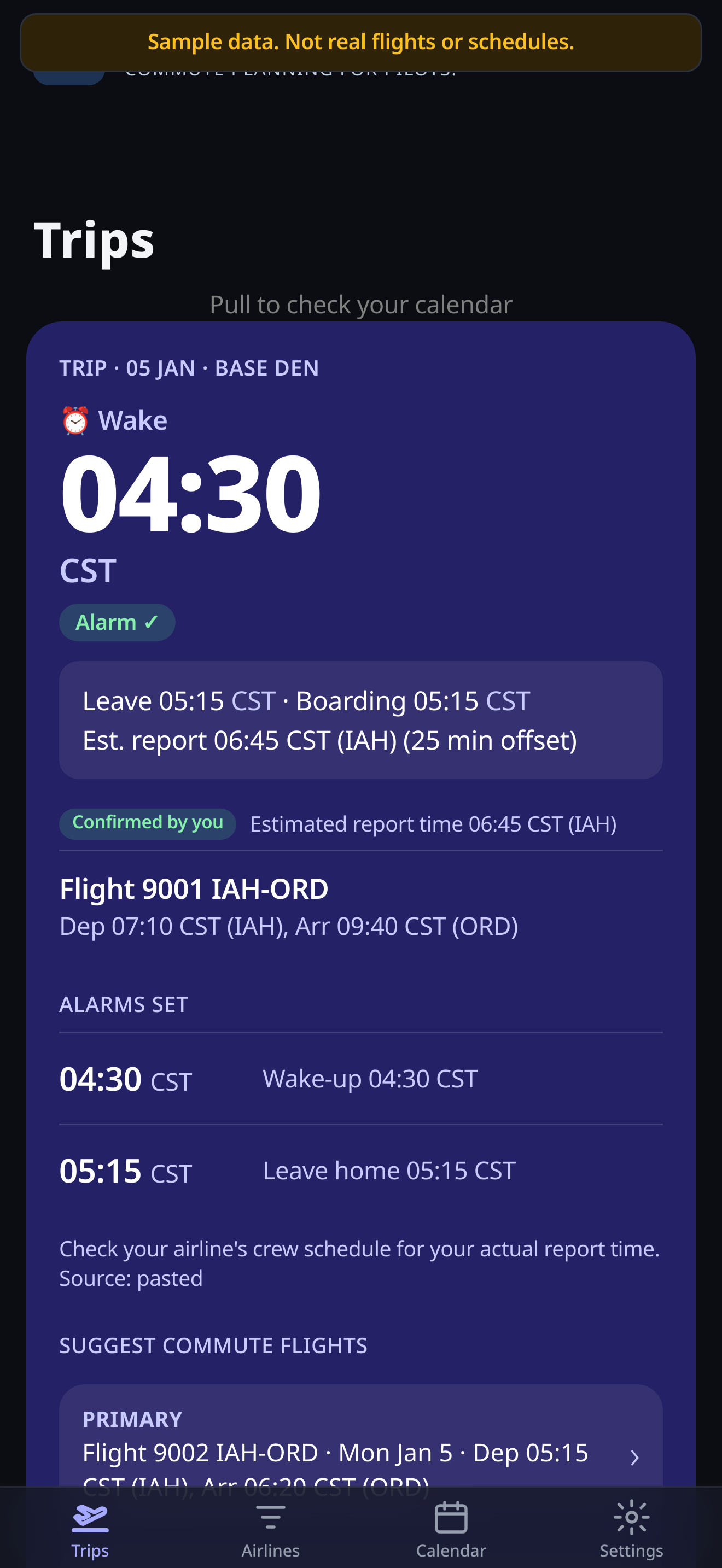
Current build · Sample data shown
How it works
Three steps on your iPhone. Your schedule stays on the device unless you choose to send a bug report.
Import United or Frontier trips from a calendar on your iPhone, use the iPhone Calendar for Delta, or paste a schedule for Envoy and any other airline.
See suggested commute flights that still arrive before your estimated report time, plus a backup option.
Set drive or fly-to-base once. The app plans wake and leave alarm times from your report time and offsets.
Features
Feature wording matches the current PilotCommute flyer. Beta features may change.
United and Frontier calendar import, and Delta via the iPhone Calendar, are factual compatibility with calendars you already use on your iPhone. Schedule paste covers Envoy and any other airline. PilotCommute is not affiliated with any airline. Flight data from FlightAware. Informational only.
Logbook
After each trip, PilotCommute can prompt you to log. Export legs with the details you already track as a crewmember.
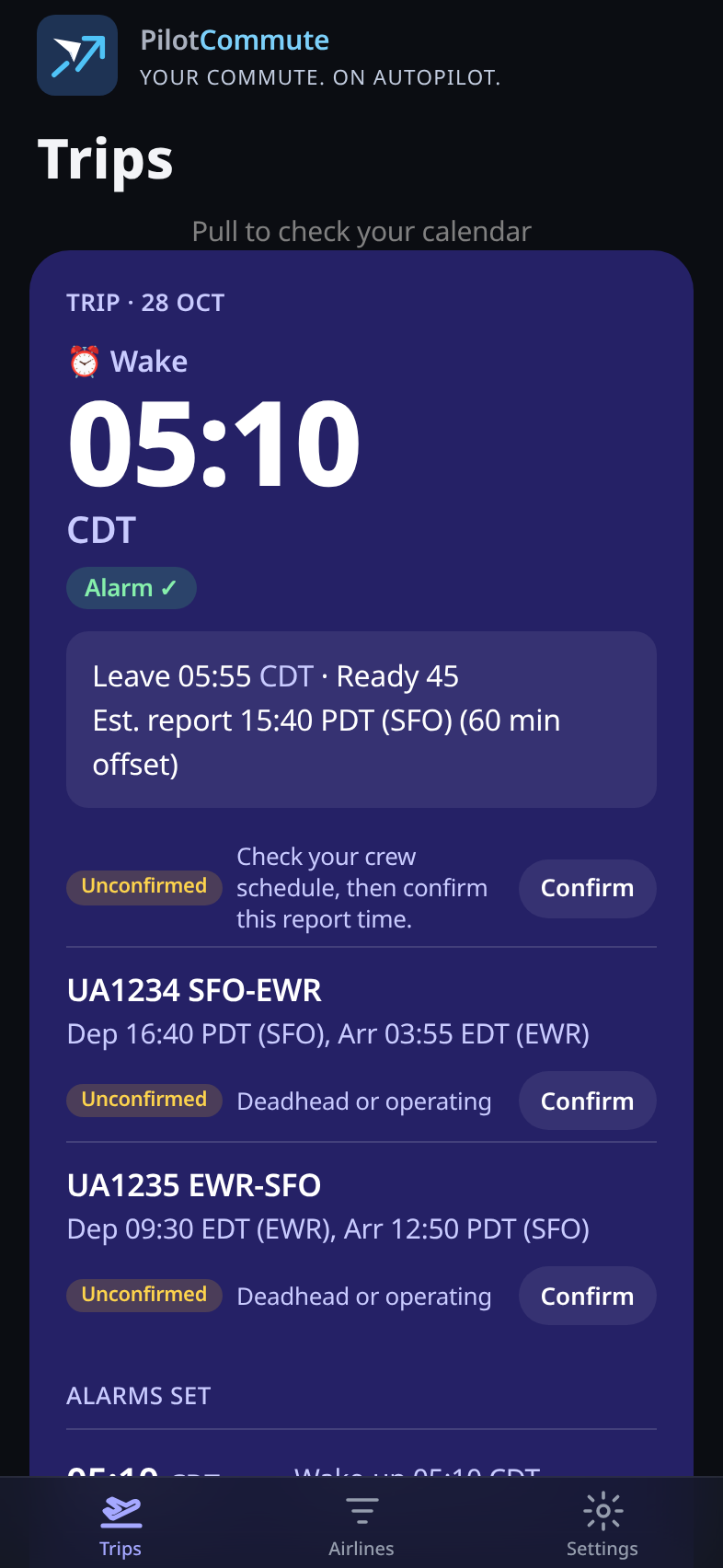
Current build screenshot
Widgets & gates
Home Screen and Lock Screen widgets surface the times you care about before open. Inside the app, next or assigned gate can appear in the top-of-screen display.
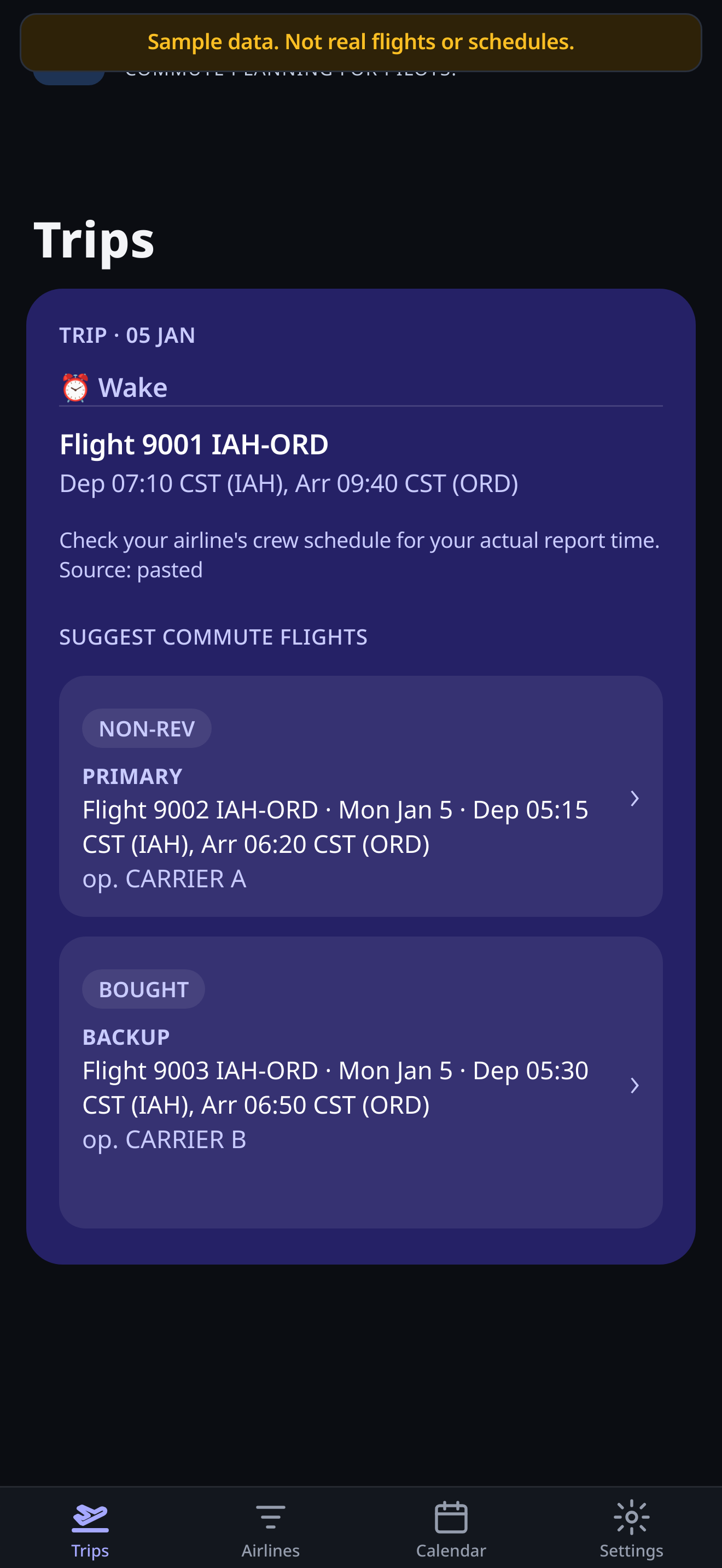
Current build · Suggested commute flights (sample data). Home/Lock Screen widget photos are not included here; copy describes shipped widget fields from the flyer.
FAQ
United and Frontier use calendar import. Delta uses the iPhone Calendar. Envoy and any other airline use schedule paste. PilotCommute is not affiliated with any airline. Support varies by airline profile and may change in beta.
No. Alarms are a planning aid and a backup. They may be late or may not go off. Keep an alarm you control, and always confirm report times with your airline’s crew schedule.
Trips, settings, and alarms are stored on your iPhone. To suggest commute flights and show status, the app may send flight numbers, airport codes, and dates to FlightAware through PilotCommute’s relay. See the Privacy Policy for details.
No. PilotCommute is not affiliated with any airline. Calendar import and iPhone Calendar support are compatibility with calendars you already use — not an official airline product.
Coming soon to the App Store. For questions or TestFlight interest, email [email protected].
Email us. No signup form — just a conversation about the app for commuting pilots.
[email protected]Coming soon to the App Store · Planning aid only · Not affiliated with any airline